
Pagination is a foundational component of modern web architecture. It keeps page load speeds fast, prevents server strain, and helps ensure users navigate catalogs without feeling overwhelmed. However, pagination is also a common souce of technical search engine optimization (SEO) issues when implemented incorrectly.
For years, webmasters relied on Google’s rel=” next” and rel=”prev” hints to guide search engines through paginated content, but Google has officially retired support for those tags. Today, search engines view paginated pages as standalone URLs, prompting a major shift in pagination practices for SEO.
What is Pagination in SEO?
In web design, pagination is the practice of dividing a continuous list of related content items across multiple sequentially ordered pages. Instead of forcing a browser to load thousands of product images or articles in a single URL, the content is separated into smaller sections with navigation controls like “Next,” “Previous,” and page numbers at the bottom.
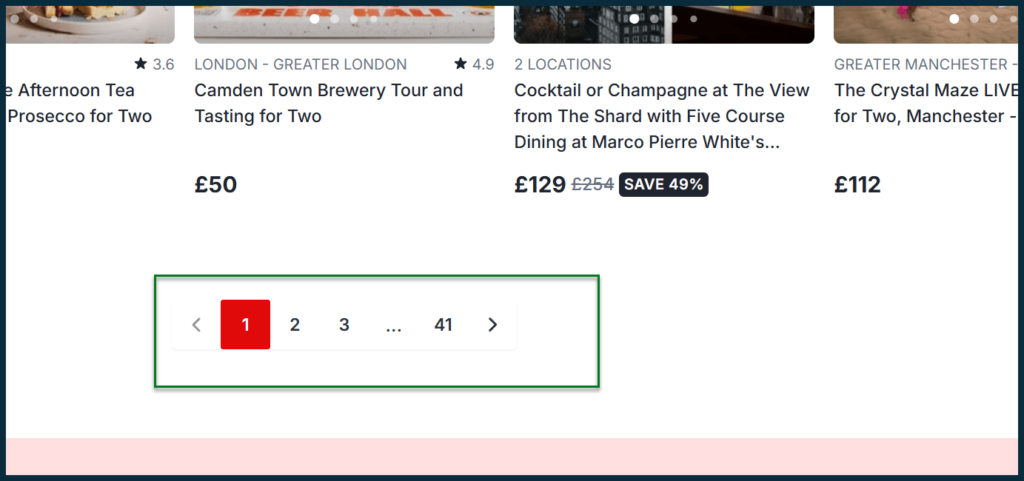
Image from Search Engine Land
From an SEO perspective, pagination is the intentional creation of a series of distinct URLs that contain these smaller content sections. For example, a category path might look like this:
- Page 1 (Root/Primary Landing Page): https://digitalmarketingphilippines.com/blog/
- Page 2 (Second Page of Items): https://digitalmarketingphilippines.com/blog/page/2/
- Page 3 (Third Page of Items): https://digitalmarketingphilippines.com/blog/page/3/
Because search engine bots crawl the internet by moving from one URL to another, each paginated page becomes a separate part of a site’s architecture. SEO pagination refers to configuring these sequential URLs so that search engine crawlers can seamlessly find and index deep-linked content without misinterpreting similar page structures.
Which Sites Benefit the Most from Pagination?
While almost any site with a blog utilizes pagination, large-scale, database-driven web properties rely on it much more heavily for performance and content organization. The web ecosystems that benefit the most from pagination include:
- E-Commerce Marketplaces – Online stores with massive product categories cannot display thousands of items on a single page. Pagination splits these categories into manageable sections, helping maintain faster load times while maintaining an organized directory. This is especially important since users expect a webpage to load in under 2 seconds.
- Digital Publishers and News Outlets – High-volume content sites with archives spanning several years use pagination across category pages, author profiles, and chronological tag pages to ensure old articles remain discoverable without crashing the server.
- Discussion Forums and Question-and-Answer (Q&A) Platforms – Community-driven websites with discussion threads containing thousands of replies use pagination to break conversations down by page. This setup keeps conversations easier to read for users while helping search engines process the content more efficiently.
- Internal On-Site Search Results – Websites with internal search features paginate the search results to keep dynamically generated pages output lightweight, organized, and faster to load.
Does Pagination Help SEO?
Pagination is highly beneficial for SEO. However, it is only effective when executed correctly. A well-structured pagination system improves content discovery and helps search engines crawl large websites more efficiently.
How Pagination Boosts SEO Efforts
When configured properly, pagination solves critical web performance problems that directly influence search visibility. Separating large amounts of content across multiple pages reduces page weight, improves time-to-first-byte (TTFB), and supports Core Web Vitals metrics such as Largest Contentful Paint (LCP). Since page speed and page experience remain part of Google’s evaluation signals, these performance improvements can contribute to stronger search visibility.
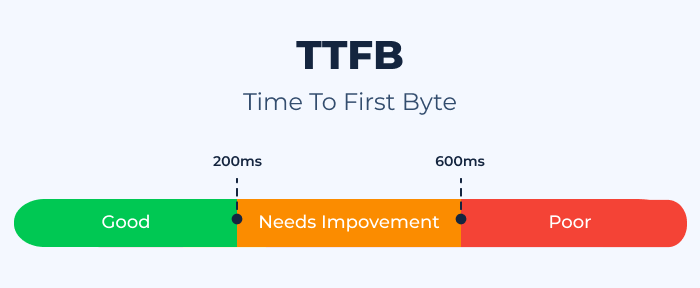
Image from Sitechecker
Furthermore, pagination provides a clear internal linking structure. It serves as a programmatic map that guides search crawlers to deeper pages that might otherwise be difficult to discover, preventing them from being left unlinked within the site structure.
How Pagination Can Be Bad for SEO
Misconfigured pagination can create technical problems that weaken search performance. Search engines allocate a limited time to crawling each website. If bots get stuck crawling thousands of endless paginated URLs, they may leave before indexing newer or important pages.
Additionally, using the exact same Meta Titles, H1 tags, and introductory text across Pages 2, 3, and 4 confuses Google, signaling thin, repetitive content. This may weaken content quality signals and create duplication concerns—suppressing a site’s overall quality score.
SEO Pagination Best Practices
To reap the technical benefits of pagination without falling into a structural trap, brands must align their website with modern search engine requirements. Below are several Google Search Console pagination best practices every marketing agency in the Philippines must follow:
1. Use Self-Referencing Canonical Tags
Every single page within a paginated series must feature a self-referencing canonical tag pointing directly to its own unique URL. A canonical tag is an HTML snippet that signals to search engines the preferred version of a webpage.
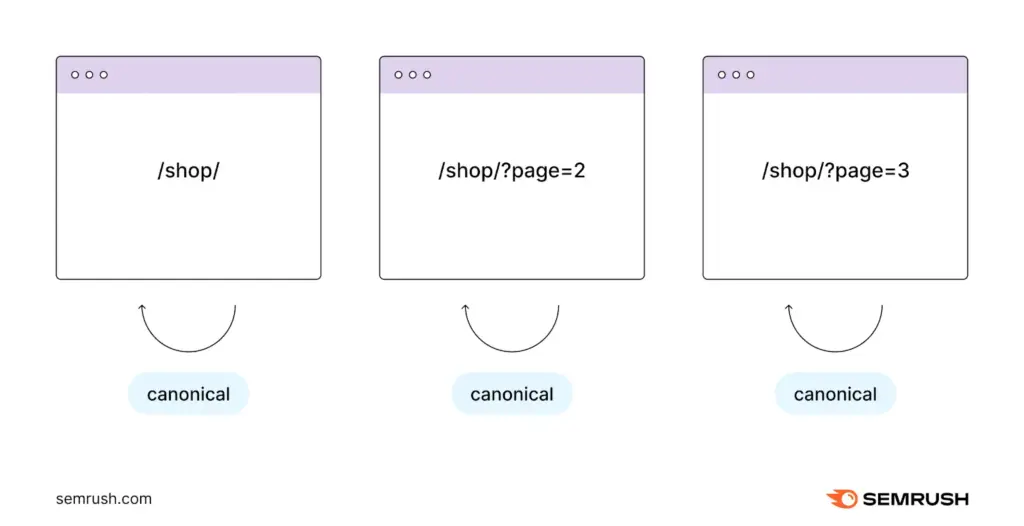
Image from Semrush
To add self-referencing canonicals:
- Page One:
<link rel=”canonical” href=”https://example.com/shop/” />
- Page Two:
<link rel=”canonical” href=”https://example.com/shop/?page=2″ />
- Page Three:
<link rel=”canonical” href=”https://example.com/shop/?page=3″ />
Continue applying this to every paginated page. Moreover, consider checking the implementation of canonical tags using site audit tools.
2. Implement Crawlable Anchor Links
Search engine crawlers discover content by parsing HTML code and following links. Pagination controls must use standard HTML anchor tags:
- Search bots can easily follow:
<a href=”https://example.com”>
<a href=”/relative/path/file”>
- Search bots will ignore this action:
<a routerLink=”some/path”>
<aspan href=”https://example.com”>
<a onclick=”goto(‘https://example.com’)”>
Avoid using JavaScript onClick events or div-based buttons that dynamically fetch content without updating the underlying page source. Additionally, ensure pagination links use clean path segments or clear query parameters, and avoid using URL fragment identifiers containing hashtags. This is because Google’s web crawlers strip out everything from the # symbol onward when crawling URLs.
3. Keep Pages Indexable
When webmasters notice duplicate metadata warnings in Google Search Console, their immediate response is often to append the <meta name=”robots” content=”noindex, follow”> tag to all pages from Page 2 onward.
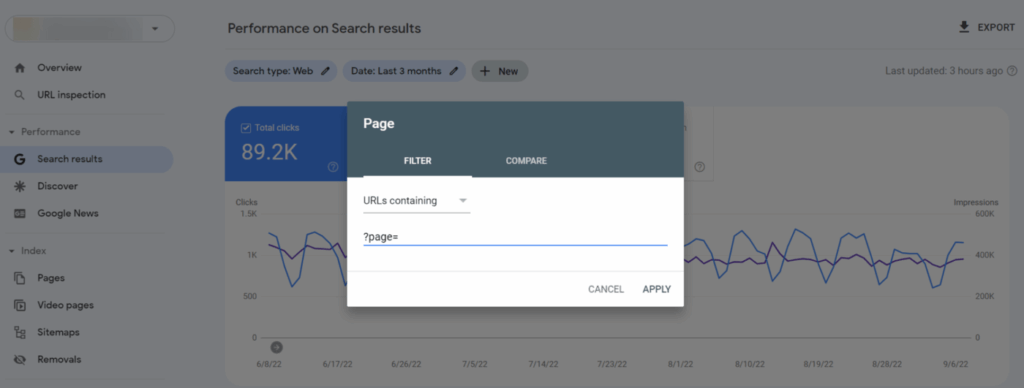
Image from SEO PowerSuite
This can become a problematic implementation pattern, as Google has explicitly stated that pages blocked with a noindex tag for an extended period will eventually stop crawling them altogether. Once crawling stops, search engines may also stop following the links found on those pages. To prevent this from happening, keep all paginated pages as index, follow.
4. De-Optimize Deeper Pages to Prevent Keyword Cannibalization
To prevent Page 2 or Page 3 from outranking or cannibalizing a highly optimized Page 1, webmasters should generally treat subsequent pages as supporting pages rather than primary landing pages.
- Modify Title Tags and Descriptions – Modify CRM to automatically append – Page X to the metadata to eliminate duplicate title warnings. If Page 1 is titled “Men’s Running Shoes,” Page 2 should be titled “Men’s Running Shoes – Page 2”.
- Isolate SEO Content Blocks – If a category landing page features a long introductory text block, a list of frequently-asked-questions (FAQs), or optimized marketing copy, ensure this text only displays on Page 1. Do not repeat these informational content blocks on deeper pages.
- Keep H1 Tags Generic – Allow Page 1 to hold the fully optimized keyword H1 tag. For subsequent pages, either append the page number to the H1 or use a simplified, clean heading structure.
5. Handle Infinite Scroll and “Load More” Correctly
Websites that use infinite scroll or a “Load More” button for user experience must support it with a hybrid technical architecture:
- Leverage the History API – As a user scrolls down on a page, use JavaScript’s history.pushState() or history.replaceState() API. This dynamically alters the URL displayed in the browser address bar to reflect the current chunk of content being viewed.
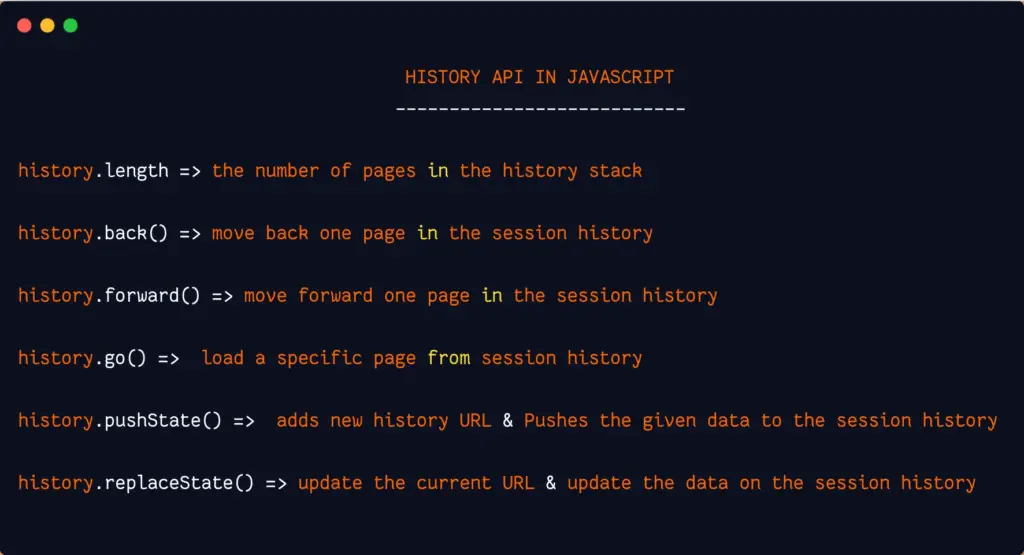
Image from Medium (JavaScript_Dots)
- Maintain a Parallel Crawl Path – Because search engine bots cannot scroll pages to trigger AJAX actions, build a hidden or structured pagination link system within the site’s HTML. While human visitors enjoy a seamless scrolling experience, the crawl bot can read the underlying HTML, find the <a href=”?page=2″> tag, and continue its discovery process uninterrupted.
Consider working with the best SEO agency in the Philippines to ensure a smooth and error-free implementation.
Optimize Your Site Architecture With DMP
Pagination is often overlooked by many webmasters and is seen as a simple design feature for breaking up long content lists. However, pagination is essentially a foundational component of a website’s technical SEO health.
At Digital Marketing Philippines (DMP), we shift away from outdated habits and adopt advanced technical SEO strategies to ensure your page is updated and ready to rank. With over a decade of providing holistic digital marketing services to local and international companies, we deliver meticulous site architecture to resolve complex crawling and indexing bottlenecks.
Get in touch with our team today to discover our premium SEO packages in the Philippines.
References:
https://www.semrush.com/blog/pagination-seo
https://www.shopify.com/ph/blog/pagination-seo
https://www.seroundtable.com/google-long-term-noindex-follow-24990.html

Jomer B. Gregorio is a well-rounded expert when it comes digital marketing. Jomer is also known as a semantic SEO evangelist and practitioner. Check out our Digital Marketing Services today and let us help you in achieving positive and profitable results for your business.